Documents
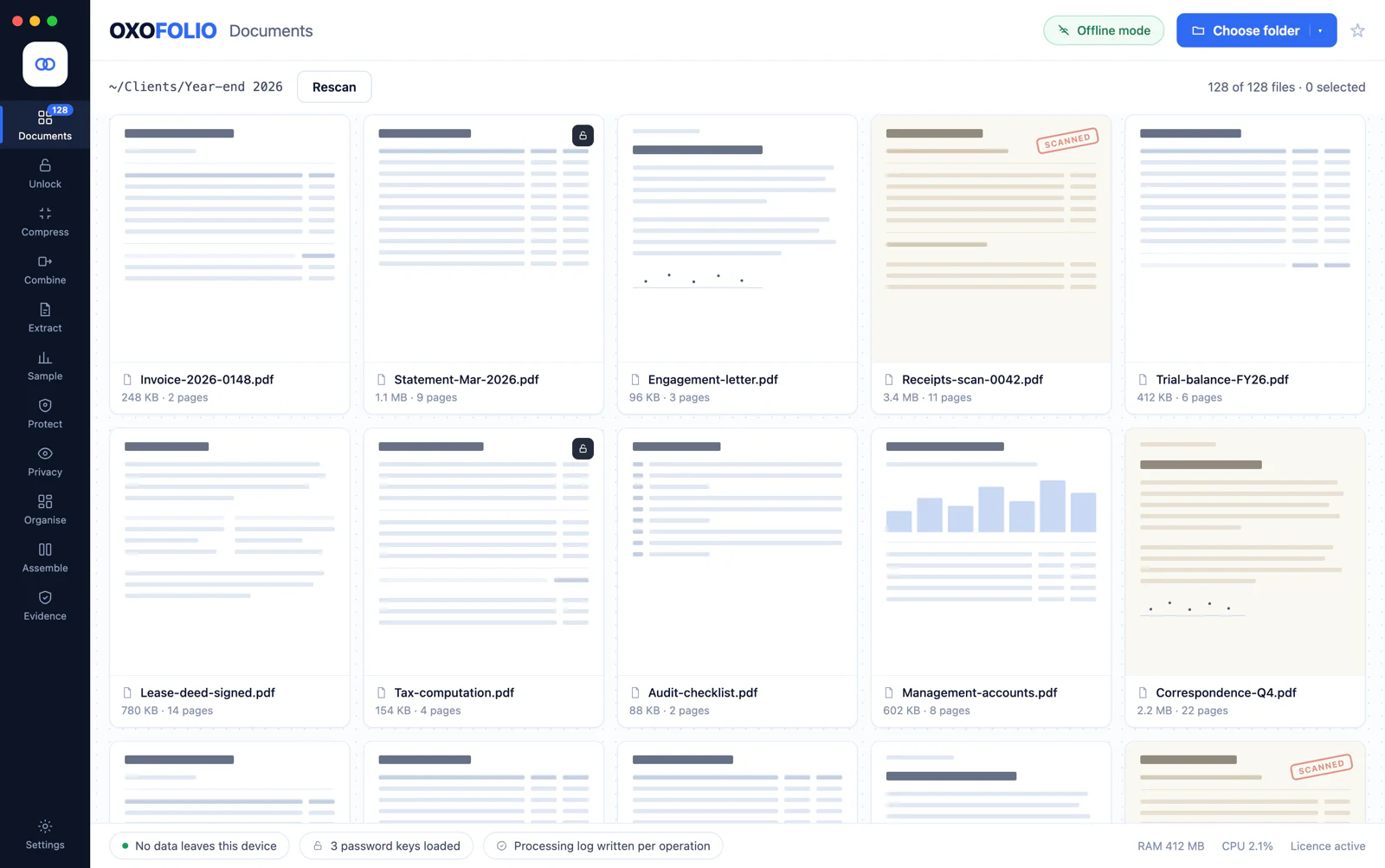
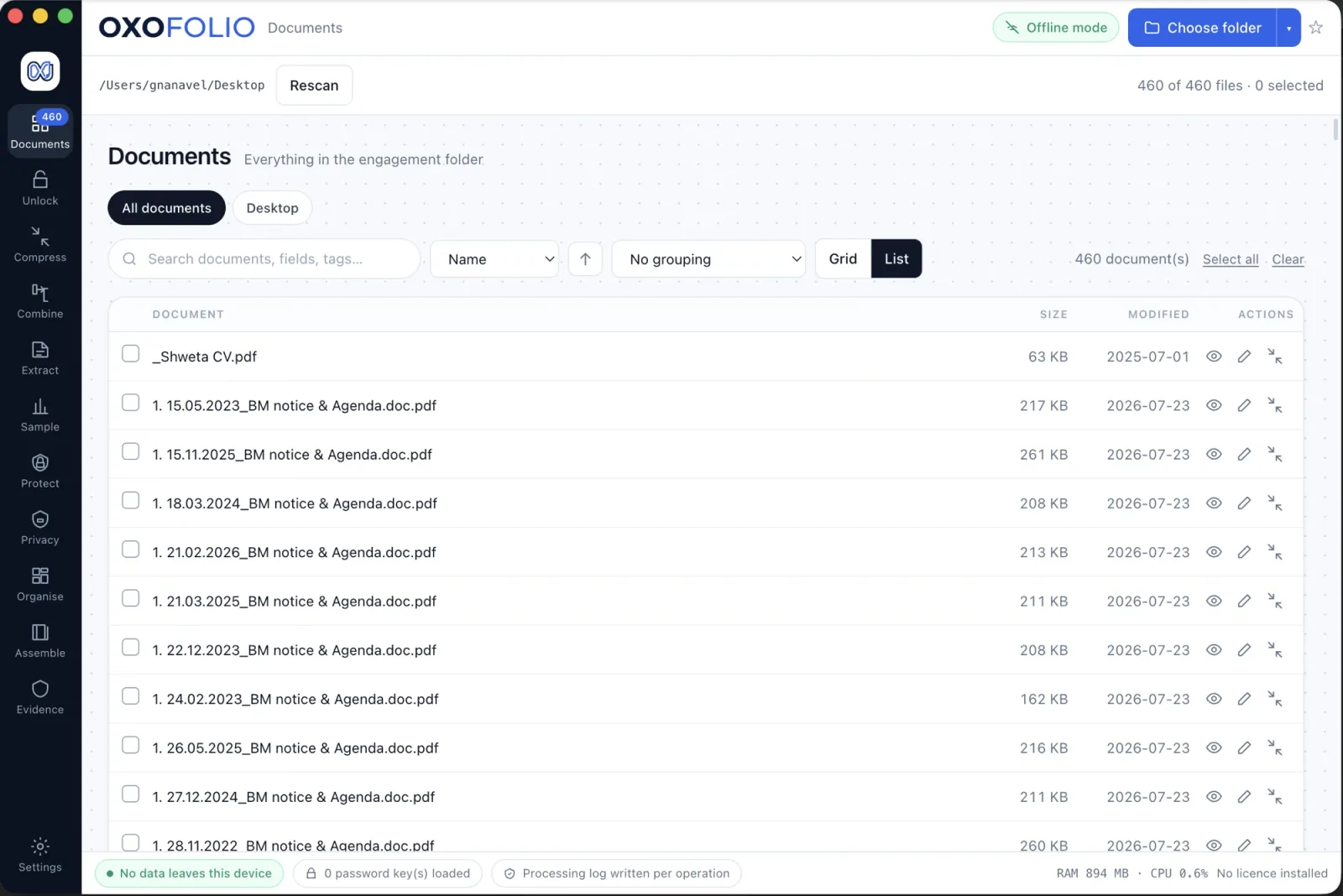
Point Oxofolio at a folder and it takes an inventory of everything in it — not just the PDFs. Every file gets a type: PDF, image, Word, Excel or PowerPoint. You get page counts, which files are password-protected, and which are damaged, before you have opened anything.
- Grid or list view, with search, sorting, grouping and a filter by format
- Locked files are flagged before you waste time on them
- A format the app cannot read is listed and says why, rather than being invisible
- Page thumbnails are rendered in memory and never cached to disk — a thumbnail of a bank statement is the bank statement
Unlock
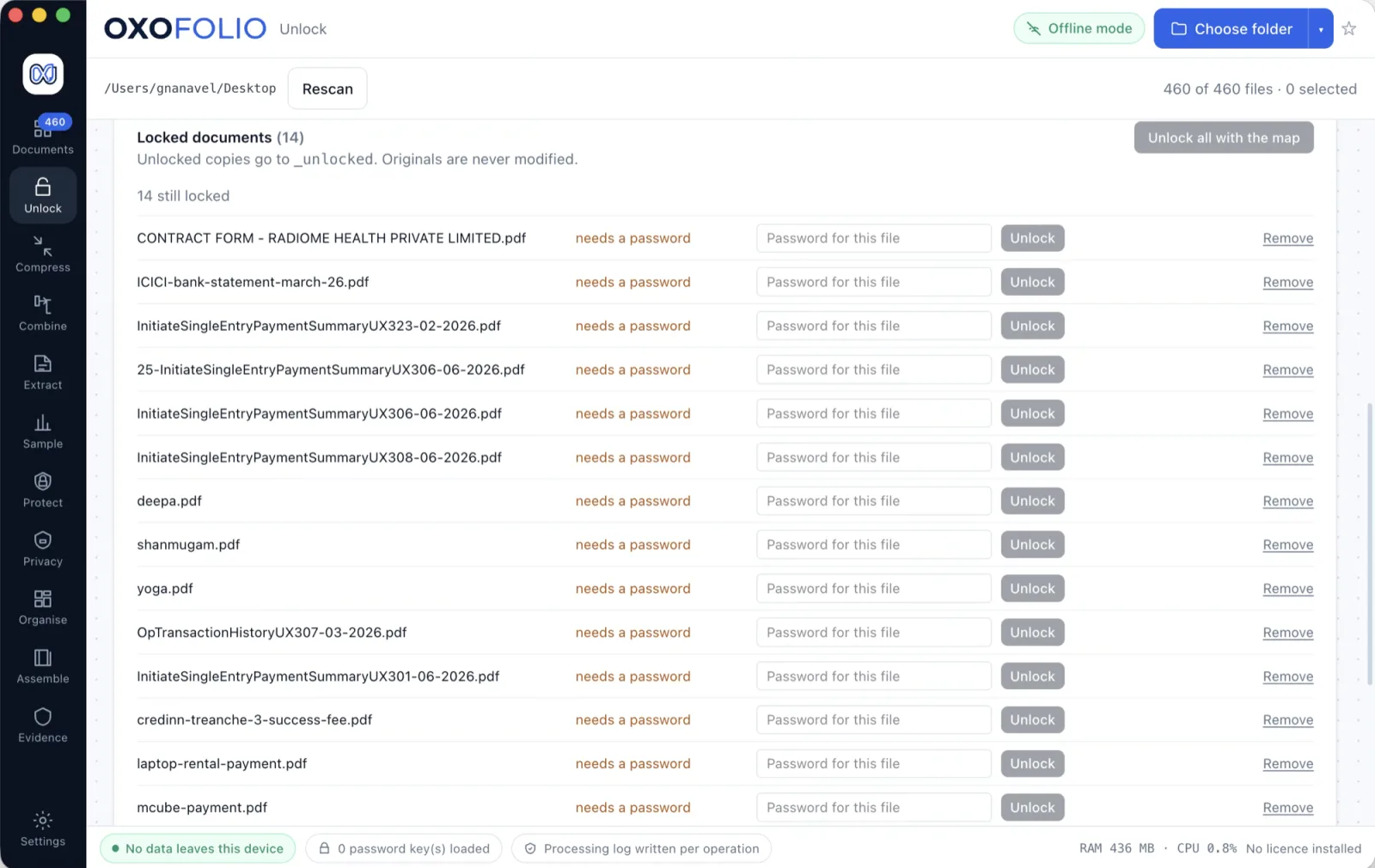
Open password-protected PDFs in batches, using passwords you already hold. Load a set of keys once and Oxofolio matches each file to the one that opens it, so you are not typing the same password forty times.
- Passwords stay inside a single isolated process — they are never held by the interface, never written to disk and never appear in any log
- Passwords you type can be remembered through your operating system’s keychain, keyed by a hash of the file path, so a stolen store names no client. Where the OS cannot encrypt, nothing is written — there is no silent fallback to plain text
- Unlocked copies are written beside the source; the locked original stays untouched
- Not a recovery tool: there is no brute force and no dictionary in the product, and there never will be
There is a full page on batch unlocking with passwords you already hold.
Compress
Most PDFs that are too big to email are scans — a page-sized image wrapped in a thin PDF. Rearranging the file structure saves nothing on those, so Oxofolio re-encodes the images instead, which is where the saving actually is.
- Choose the quality; see the real size saving per file before keeping anything
- Runs across a whole folder at once
- A page with real text is never flattened to pixels to make it smaller — that would destroy the searchable layer to save a few kilobytes
- Tells you when a file cannot usefully be made smaller, rather than pretending
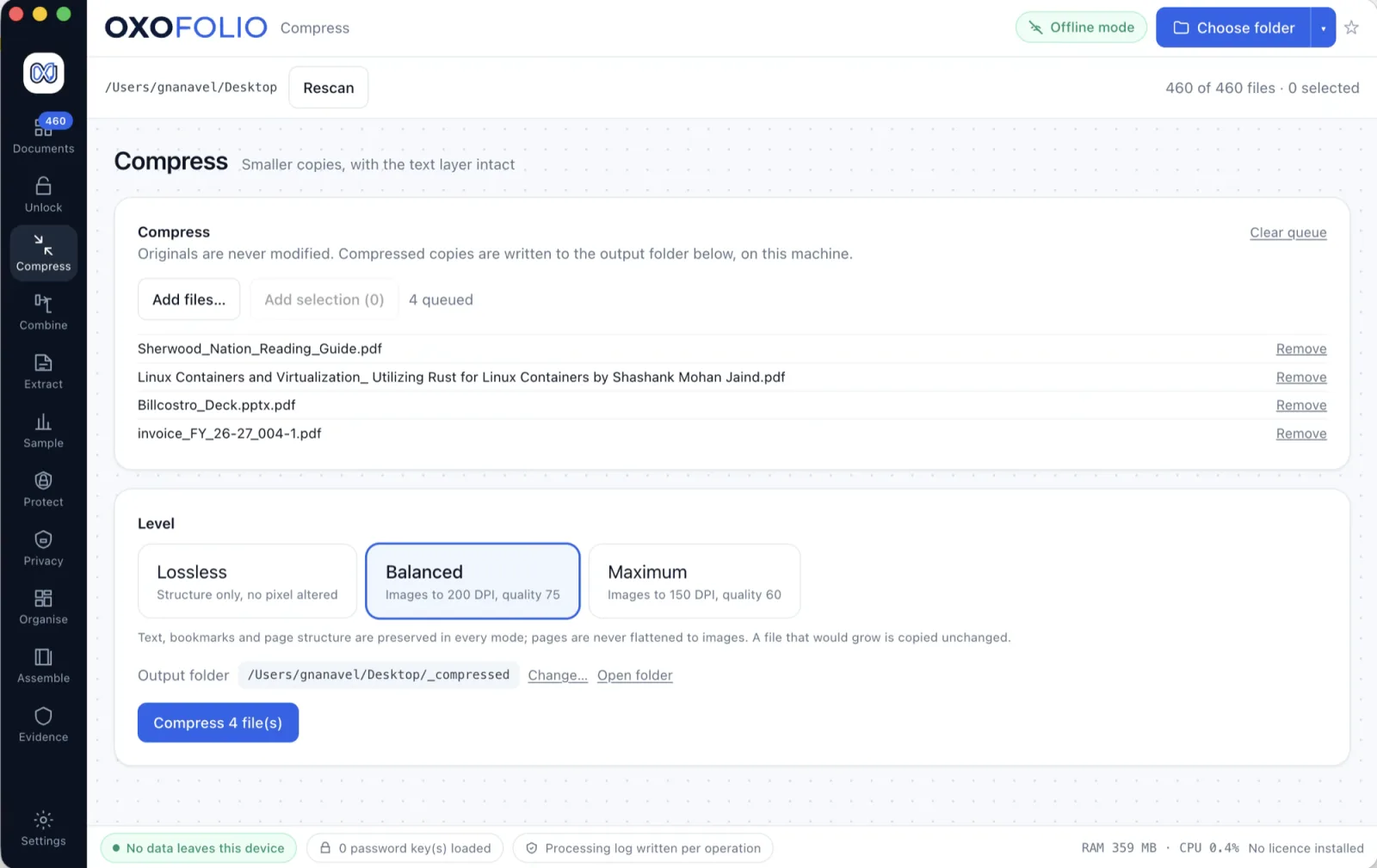
There is a full page on compressing large scanned PDFs.
Combine & split
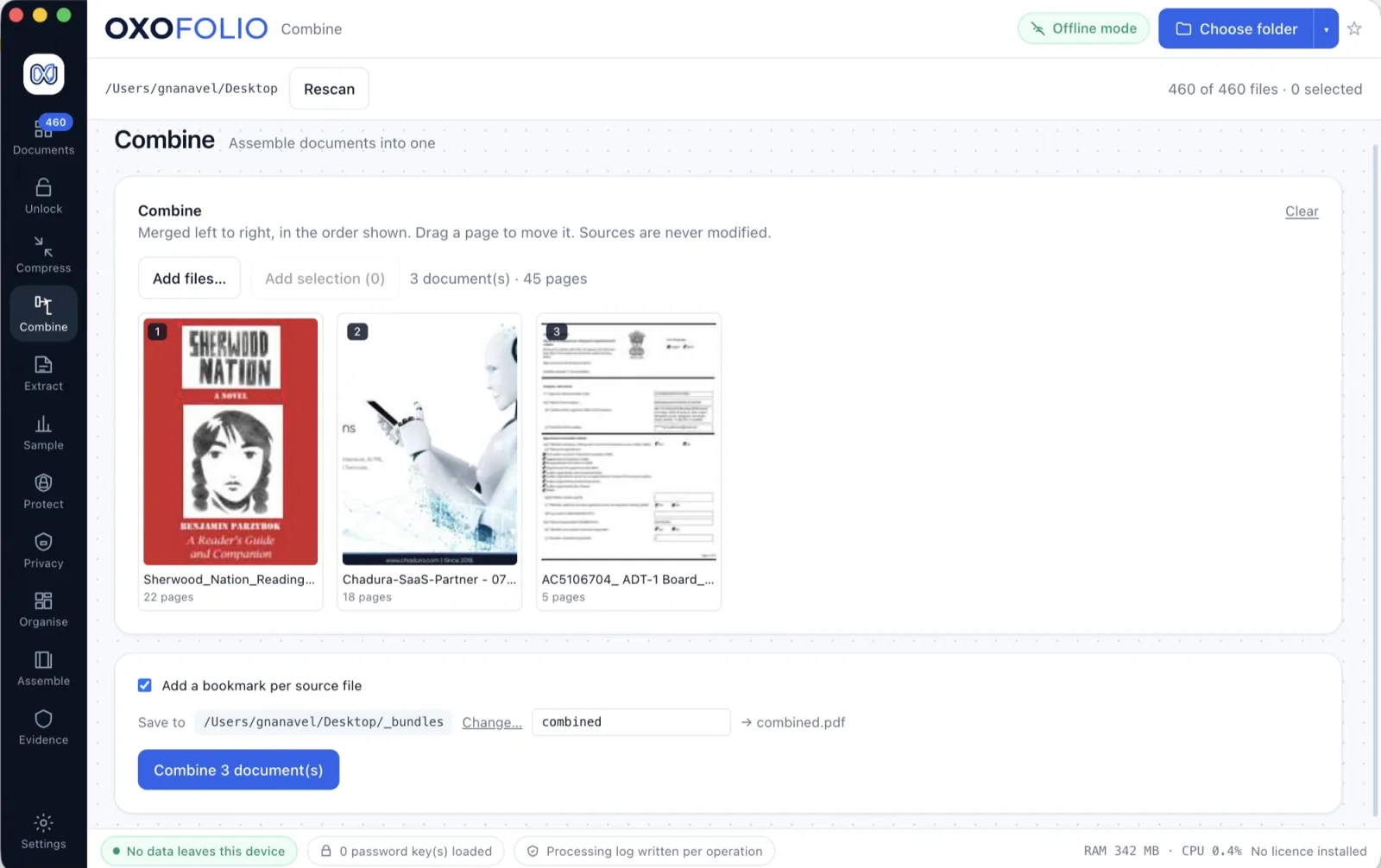
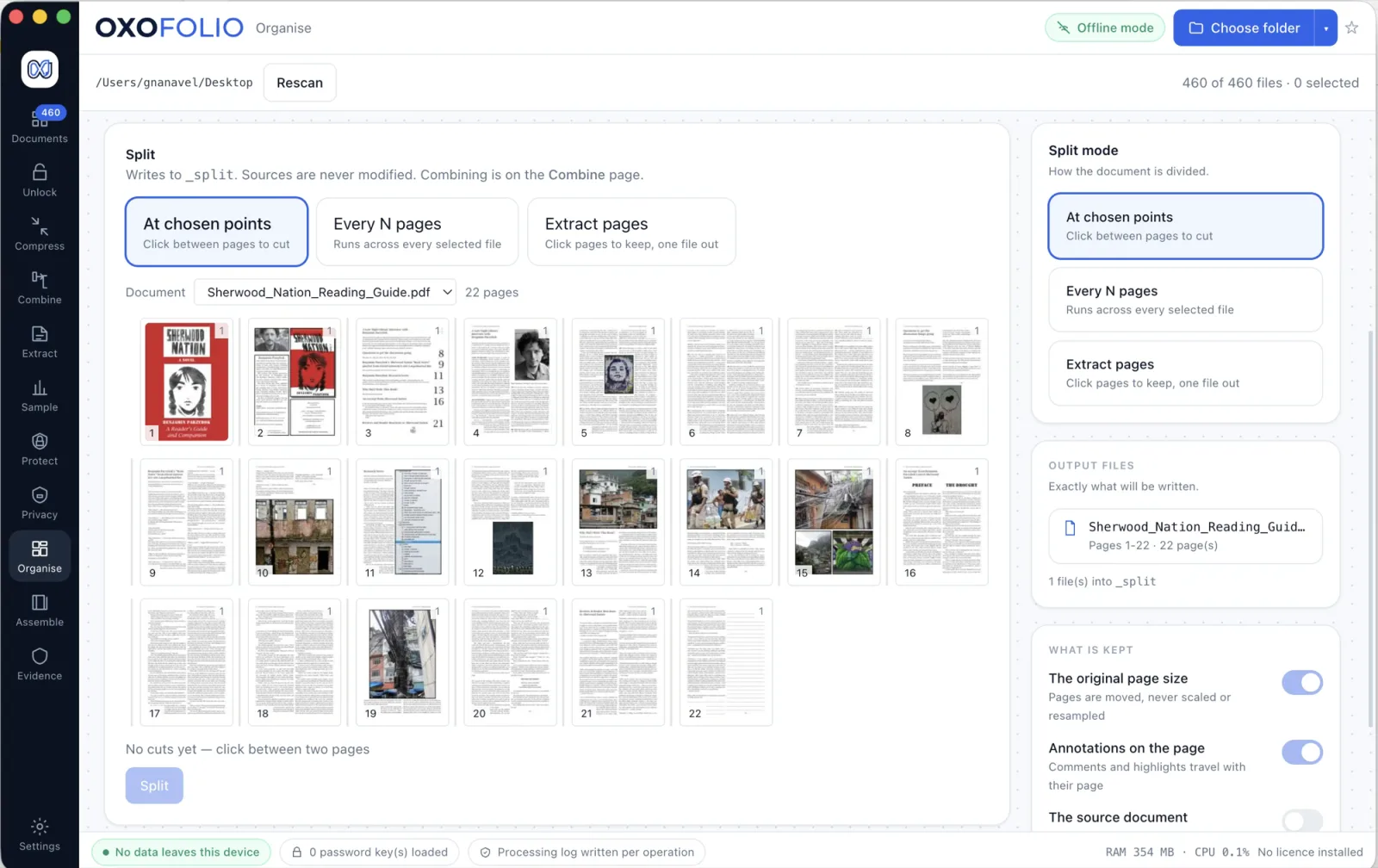
Merge several PDFs into one document in the order you choose, split a long file into parts, or take just the pages you want out of a source and save them as something new.
- Reorder, rotate and remove pages in a visual page editor
- Split by page count, by ranges or at chosen points
- Sources are never modified — every operation writes new files
OCR
Half of what arrives is a photograph or a scan with no text in it at all. OCR adds a searchable text layer under the image the client sent, so the page can be found, read and extracted from like any other — and the picture on top is untouched.
- The recognition engine is bundled inside the app, so this works on a machine with no network and nothing is ever fetched
- The original image stays as the visible page; the text goes underneath it
- Files that already have a text layer are skipped rather than processed twice
- English is the only language pack that ships today — see worldwide
There is a full page on running OCR entirely offline.
Sample
Draw a random selection from a large set of documents in a way that anyone can repeat and get the identical result. A spreadsheet’s random function reshuffles every time the sheet recalculates, so the selection can never be reproduced — even by the person who made it.
- The selection is reproducible from the recorded inputs, by hand if necessary, in any language
- A certificate states the algorithm used and fingerprints the population it was drawn from
- Shows how the items were chosen, not just which ones
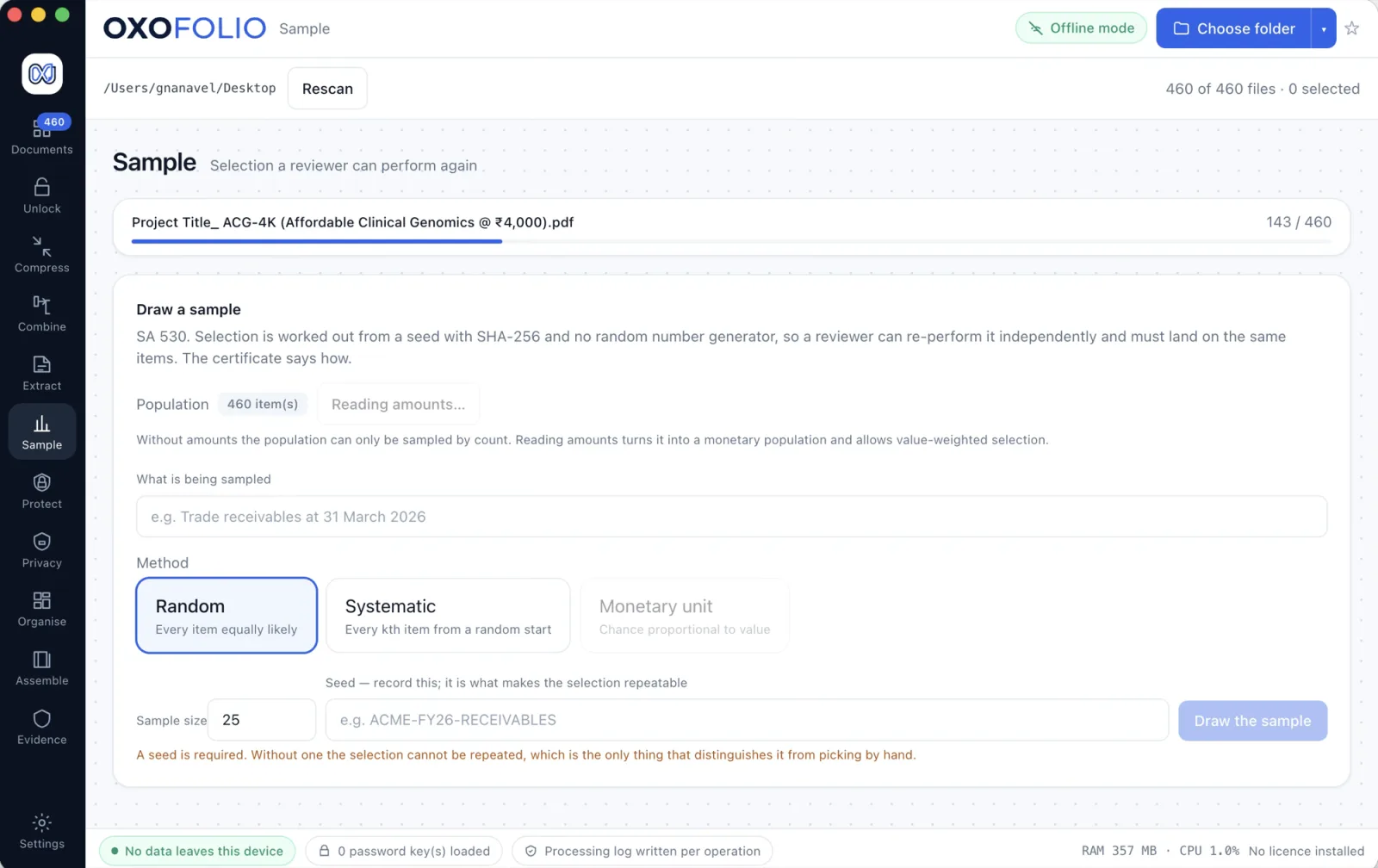
There is a full page on reproducible audit sampling and ISA 530.
Protect
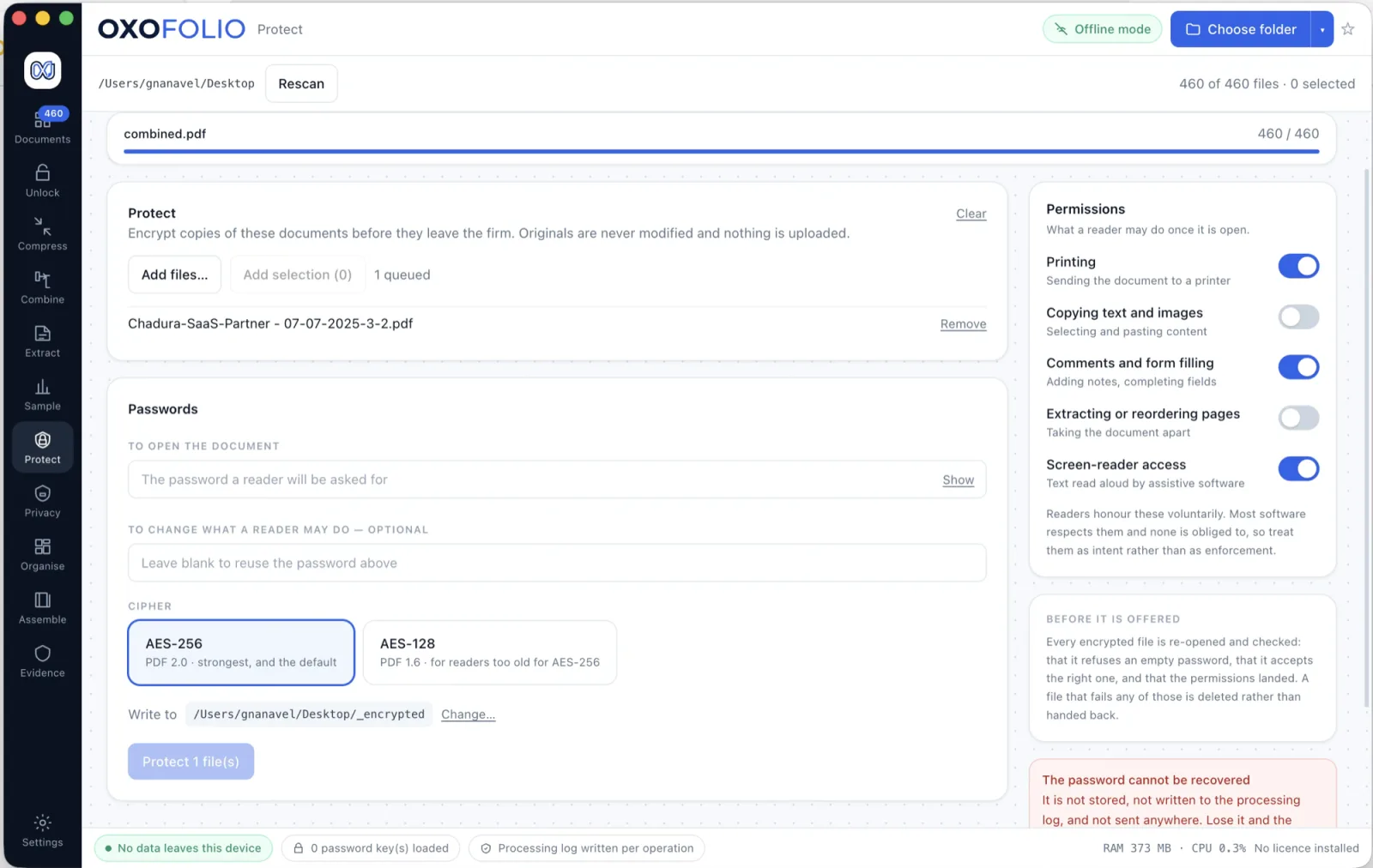
The other half of unlocking. Once a set of documents is ready to leave your hands, put a password back on it before you send it, so the copy you release is protected rather than open.
- Encrypt single files or a whole batch of outputs with AES-256
- Every encrypted file is re-opened and checked before it is offered to you — an operation that silently did not do what it said is the failure mode worth engineering against
- The protected copy is written separately; your working file stays as it was
Privacy & redaction
Find the personal data in a document, then remove it properly. Oxofolio deletes the text from the file itself and paints the black mark only as the visible sign of what was taken out — then reads the finished PDF back to confirm nothing survived.
- Identity, tax and account numbers are validated, not just pattern-matched, so a twelve-digit invoice total is not mistaken for an identity number
- IBAN, e-mail and labelled account numbers are found in any country; Aadhaar, PAN, GSTIN, IFSC and Indian mobile numbers ship as the Indian pack — what that means where you are
- Every match is shown in place on the page before anything is removed
- Strip out what a document says about itself: author, the software that made it, its old title, its revision history and any embedded JavaScript
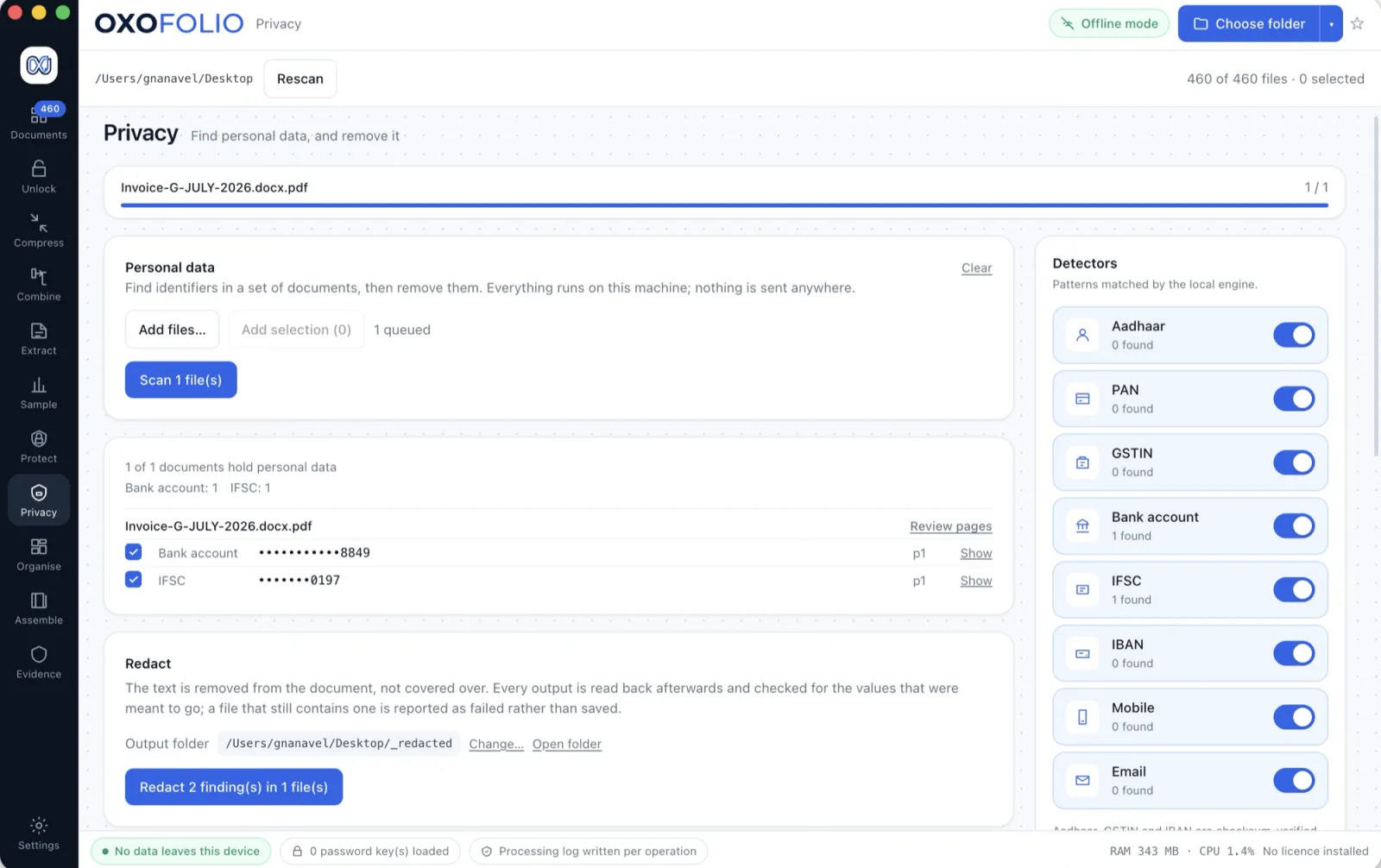
There is a full page on finding and redacting Aadhaar and PAN.
Organise
Turn a folder that grew for a year into one with a shape. Build a naming rule, see the complete list of old name to new name, and only then apply it.
- Nothing is renamed until you have read the plan
- Files are copied rather than moved, so a mistake costs nothing
- Finds the same document filed twice under two different names — by content, not by filename
- Flags a folder that appears to hold more than one client’s papers, by spotting a registration number that recurs where it should not
Assemble
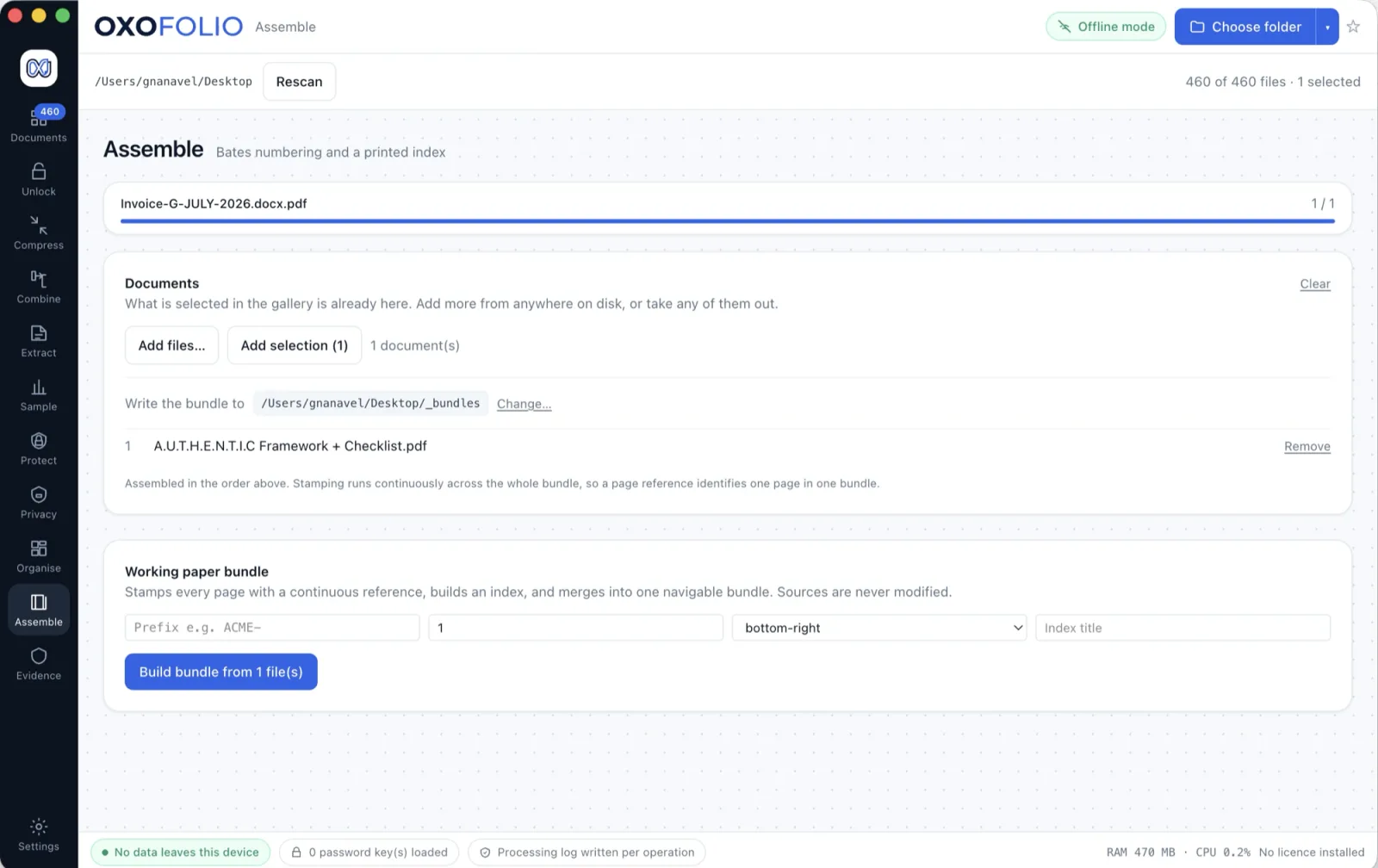
Put a finished bundle together: the documents in order, a contents page at the front, and a sequential reference stamped onto every page so any single page can be cited unambiguously.
- Page numbering runs continuously across the whole bundle, not per file
- Generate an index page listing what is inside and where it starts
- Place a signature or stamp image onto a page, on a copy, with a record of where it went. That is a visual mark, deliberately not a digital signature certificate
Evidence
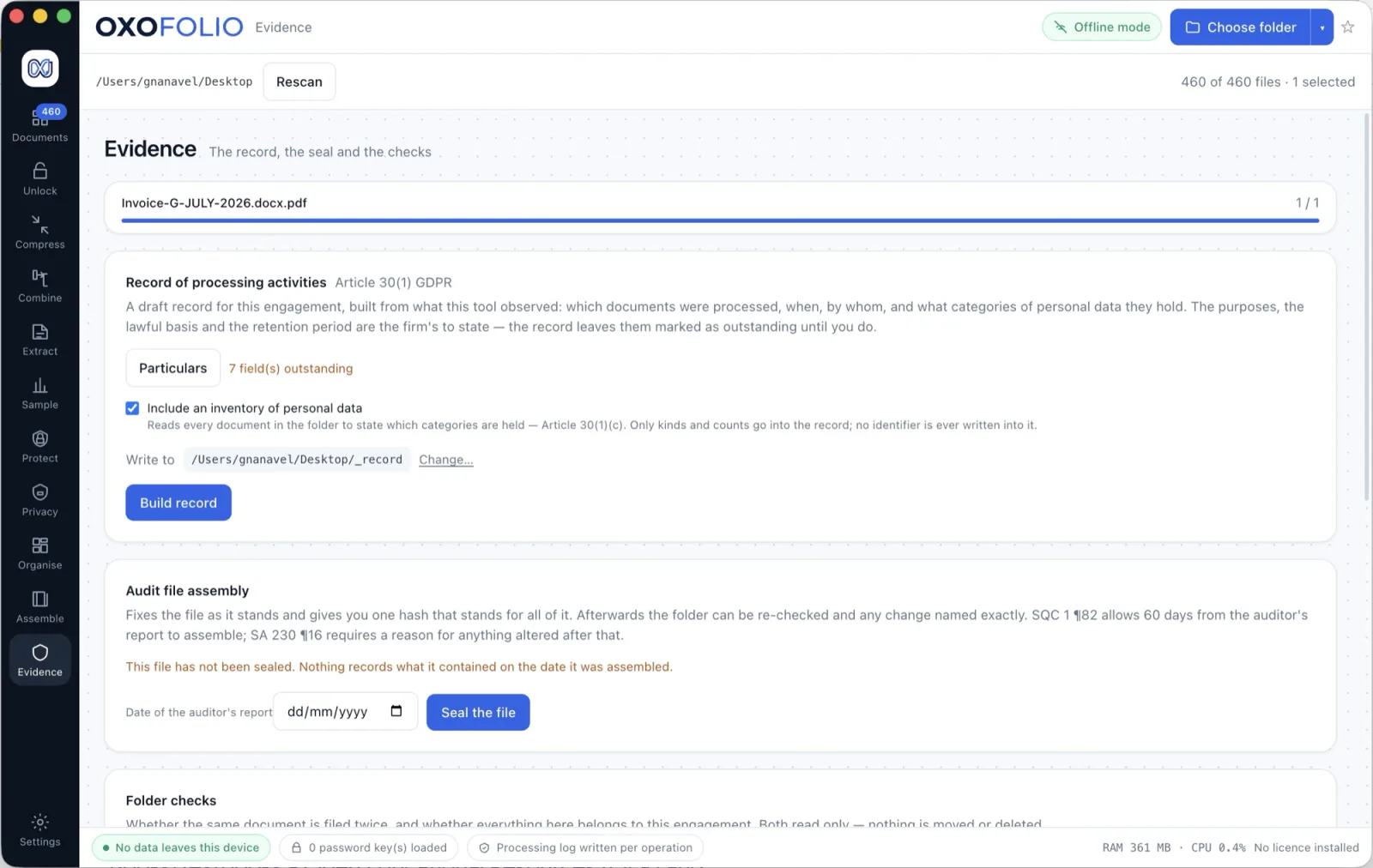
A running log of everything Oxofolio did in a folder: which operation, when, on which machine, under which app version, and the SHA-256 fingerprint of every file that went in and every file that came out.
- Prove a document is byte-for-byte the one you started with
- Seal the engagement file at the report date, and get an exact added / removed / altered difference at any point afterwards
- Set how long a folder should be kept, list what is due for deletion, and get a certificate naming everything that was destroyed. Six Indian statutory presets ship, and a period you define with your own citation is a first-class option
- Erasure is certified at the level it can honestly claim, with the disk-encryption state recorded, rather than as more than overwriting can promise
- Passwords and the keys that matched them are deliberately absent from the log
Convert
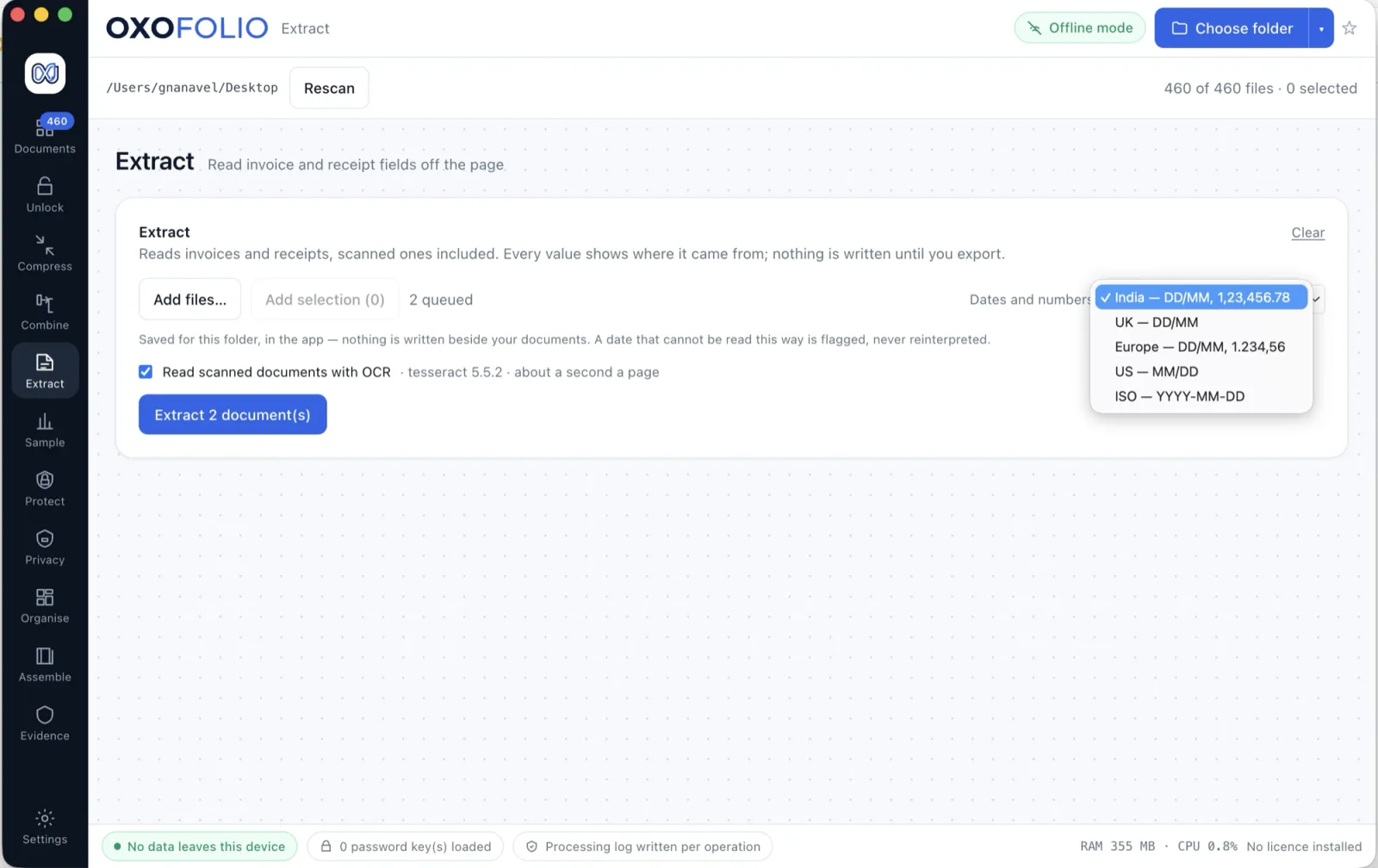
Turn a PDF back into something editable: a workbook, a Word document, or one image per page. The schedule arrived as a PDF and the work has to happen in cells; the engagement letter arrived as a PDF and has to be amended. Both are retyped today.
The design principle here is the opposite of every PDF to Excel button on the internet: the guess is made out loud. Oxofolio measures the page geometry, shows you the signals behind its suggestion, previews the grid it found, and writes nothing until you press Convert.
- The preview and the conversion share one piece of geometry, so they can never disagree about what they found
- What it gets wrong is stated before you start: a form, a two-column report and a scan with a poor OCR layer all look like tables to any geometry-based reader
- Number rules are conservative on purpose.
007 stays an account number; (1,240.75) stays negative money; only ISO dates become real dates. A figure left as text is one click to fix — a reference number turned into an integer has lost its leading zeros for good
- The workbook carries a Source sheet naming the PDF it came from and what was assumed, because six months later nobody remembers whether the spreadsheet on the shared drive was the bank’s or something a tool inferred
- Word conversion rebuilds paragraphs, headings, bold and italic, tables, images, page size and margins. What it cannot reconstruct is listed rather than discovered: exact line breaks, hyphenation, columns of prose, footnotes and running heads
- A page with no text layer is refused and sent to OCR instead of converted into a blank document
There is a full page on how the PDF to Excel grid is measured.
Images
Pages out as pictures at 150, 200, 300 or 600 DPI, and images back in as a single PDF in the order you give them. A reviewer pasting one page into a query email, and a client who sent photographs of a statement from a phone, are the same job in two directions.
- This is the one place the app rasterises on purpose, and it says so: every row of the report records that the output is an image of a document, not the document
- Outputs go into a marked folder inside the folder you already control, are skipped by the next scan, and are hashed on both sides so the log can prove which page produced which image
- Photographs assembled into a PDF are placed in the order you set, not the order the phone named them
Mark up
Rotate, crop, redact, highlight, box, arrow and add text to an image — the marks an auditor makes on a photographed statement before it is filed. Always into a new file.
- Nothing is applied until you save, and saving writes a new file, hashes both sides and records what was done. The source is opened read-only and closed — even rotating does not touch it
- Redaction here is real and verified the same way the PDF redaction is: the marks are burned into the pixel data before the file is written, then read back out of the saved file and checked. One that cannot be verified is not reported as one
- A redaction is black and opaque, always. Offering a colour for it invites a light grey “redaction” that is not one
- Marks are held as fractions of the image rather than pixels, so what you drew and what gets burned in cannot end up in different places
The bench — gallery, viewers and settings
Everything above happens inside a view of the folder as it actually is. This is what makes Oxofolio a workbench rather than a set of tools: the document never has to be opened somewhere else to be looked at, and somewhere else is where client data escapes.
The gallery shows documents, not filenames. Every tile is a picture of the file — a PDF’s first page, a spreadsheet drawn as a grid of its top-left corner where a schedule puts its title and headings, a Word file as a miniature of its first page with the letterhead in place, and a deck as its first slide laid out where its author put things. Where Office wrote its own embedded preview, that real render is used in preference to anything reconstructed here.
- PDF viewer — thumbnails, find and page navigation, and it opens encrypted documents too: the password never crosses the process boundary
- Spreadsheet viewer — column letters, row numbers, a formula bar, the selected cell and sheet tabs where Excel puts them. An accountant who cannot say “C14 is wrong” can only say “that number looks wrong”, which is not the same conversation
- Word viewer — the page size and margins the author set, an outline from the headings, find, and the header and footer with
Page 2 of 7 filled in per page
- Deck viewer — each slide at its own size, in the deck’s own colours and fonts, navigable slide by slide
- The formula bar shows what was read out of the file, never a value this app computed. An uncalculated formula is reported as exactly that rather than shown as blank
- It reconstructs; it does not lay out. Word’s automatic page breaks are not knowable here, so a long document is one long page rather than a guess — and the banner saying so does not go away
- Formats it cannot read are refused by name.
.doc, .ppt, .odt and .ods are listed and say why. .xls is read, because legacy accounting packages and bank download portals still produce it
Two ways out of the viewer, both stated honestly. Export what the viewer draws as a PDF — it prints this app’s own reconstruction, so the filename carries “(preview)”: a PDF of an engagement letter that looks authoritative and paginates differently from the signed original is exactly the artefact you must not file by accident. And open a document in the applications your machine actually has, offered by name. Nothing there touches the network and the app still opens no sockets — but Numbers saves into iCloud Drive by default, and Excel with a Microsoft account signed in turns AutoSave on and puts the file in OneDrive. The app says so at the point of the click, because that is the difference between a caveat and a surprise.