Audit & assurance
Draw a sample anyone can re-perform, with a certificate stating the algorithm and the population. Seal a file at the report date and see exactly what changed after it.
Audit sampling →
Unlock and redact PDFs, strip the metadata off an Excel schedule, and read the Word letter without opening Office — on your own machine, with no internet connection.
Every tool free for 14 days · macOS, Windows and Linux · from ₹999 + GST a year
netstatOxofolio does the work on your own machine. That is not a policy we wrote down — it is how the application is built, and your IT team can check it in about ten seconds.
The app has no server, no sync and no cloud back end. Open Activity Monitor, Resource Monitor or netstat while it runs and you will find nothing listening and nothing dialling out.
A check runs before every release and fails the build if any shipped source so much as imports a networking library. It is not a promise anyone has to remember to keep.
There is nothing to sign up for. The licence is a signed file your own copy of the app verifies offline — it never phones home, because a licence check that phones home would contradict the product.
The architecture, a completed vendor questionnaire and our data-protection position are on the site in full — including the answers that are unfavourable. Forward the link to whoever has to sign this off.
Bank statements, payroll, contracts and identity papers arrive every day. Here is what each kind of practice does with them in Oxofolio.
Draw a sample anyone can re-perform, with a certificate stating the algorithm and the population. Seal a file at the report date and see exactly what changed after it.
Audit sampling →Unlock a batch of password-protected bank statements, read invoice figures into a table, and find IBANs and account numbers — plus PAN, Aadhaar and GSTIN in the India pack — before a file goes out.
Batch unlock →Compress, combine and redact what goes to banks, auditors and regulators — without putting payroll, contracts or board papers through an online converter.
Offline compression →Build a numbered bundle with a contents page, and redact so the text is deleted from the file — then let the app read the result back to confirm it is gone.
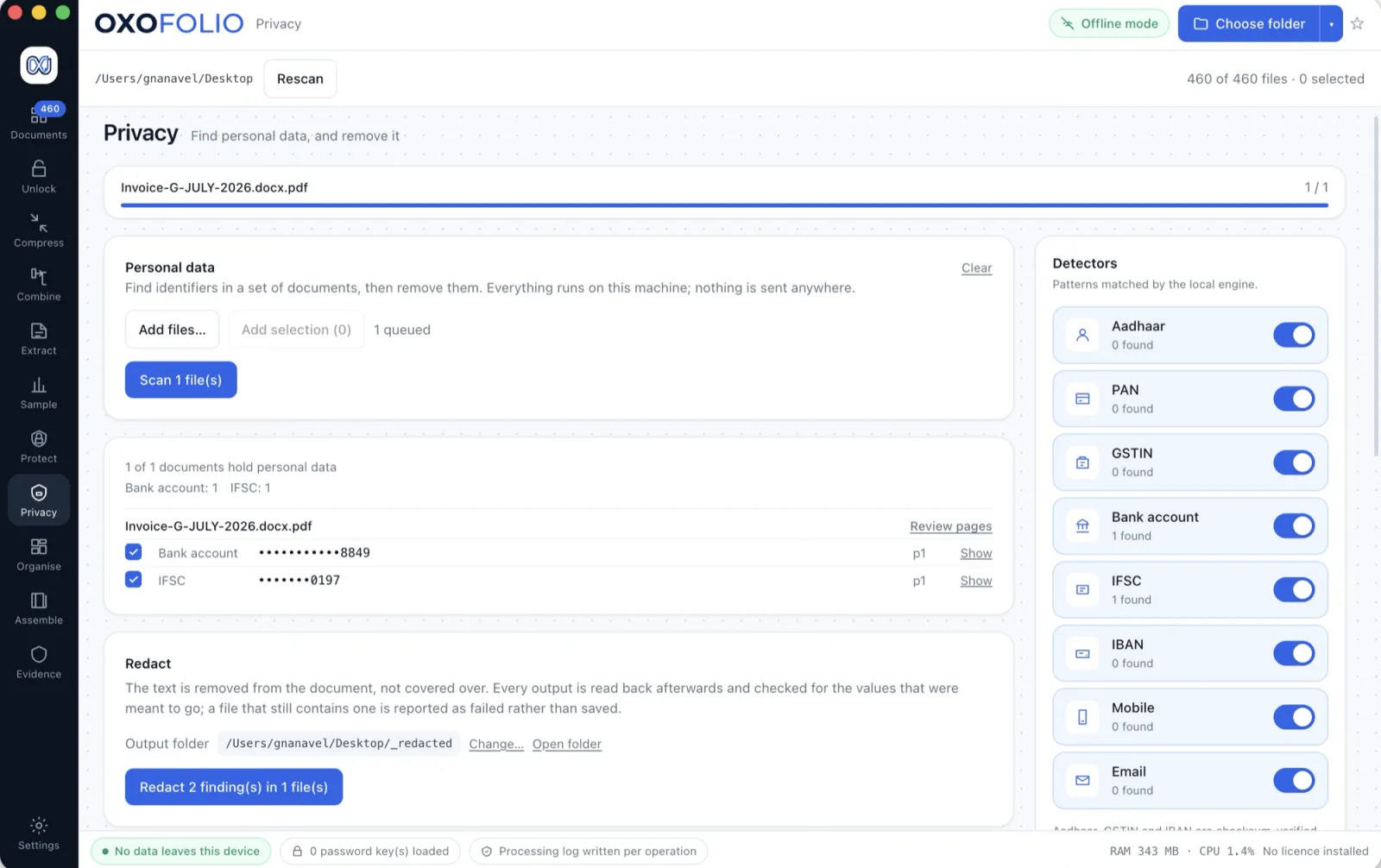
Verified redaction →Draw a rectangle in most editors and the digits are still sitting in the file underneath — selectable, searchable, copy-pasteable. The document now looks handled, which makes it more dangerous than before.
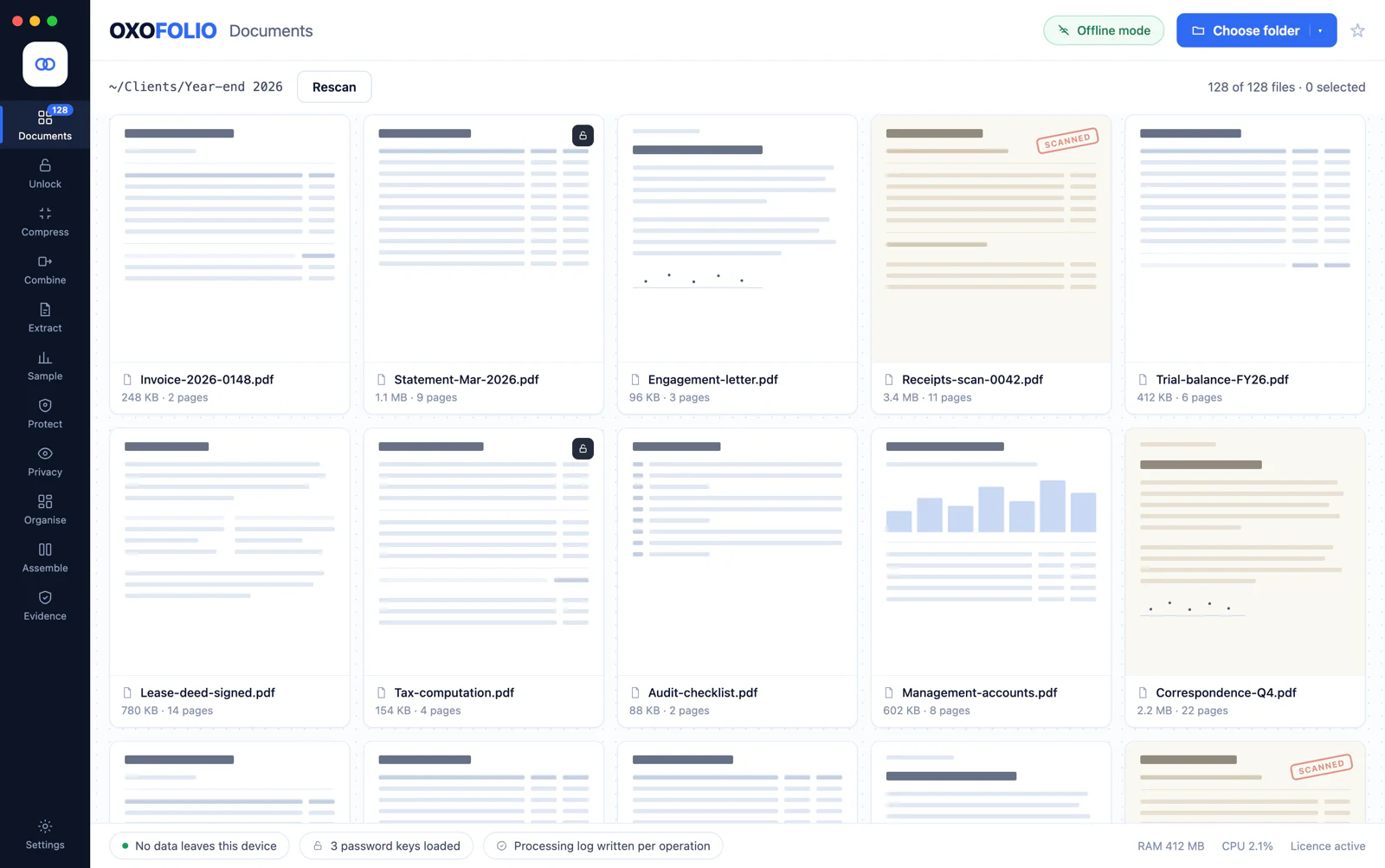
A tool does one thing to a file you hand it. Oxofolio opens the folder as it actually arrived, shows every document as itself, and keeps it inside the application through inspection, conversion, redaction, encryption and the evidence at the end.
Every hop between tools is another copy of a client’s bank statement sitting in a folder nobody is tracking. Round-tripping through Acrobat, Excel and Word to finish one engagement leaves a trail of them.
Not leaving is the security claim and the workflow claim at the same time — which is why they are the same sentence.
Built for documents as they actually arrive — scanned, locked, badly named and in the wrong order. Twelve of the sixteen workspaces are below; OCR, Protect, the folder inventory and the viewers are on the features page.
Open password-protected PDFs in batches using passwords you already hold. Your passwords stay in one isolated process and never appear in a log. They are saved only if you choose to remember them, and then encrypted by your operating system’s keystore.
Make big scans small enough to send. Honest about the trade-off: you choose the quality, and see the saving before you keep the result.
Merge a pile of files into one ordered document, split a long one into useful parts, or pull out exactly the pages you need.
Delete sensitive text from the file itself, not just cover it — then let the app re-read the finished PDF to confirm the words are gone.
Scan a document for identity and tax numbers, account numbers and contact details, and see exactly where each one sits on the page.
Read the figures off invoices and receipts into a table you can export — with the page and the exact snippet each value came from.
Turn a PDF back into a workbook or a Word document. The grid it found is shown on screen, and nothing is written until you press Convert.
Rotate, crop, highlight, box, arrow and redact a photographed statement — always into a new file, never over the client’s original.
Pages out as pictures at the resolution you choose, and a client’s phone photographs back in as one ordered PDF.
Rename a folder to a rule, preview every change before it happens, and catch the same document filed twice under two names.
Build a numbered bundle with a contents page, stamp sequential page references across the whole set, and place a signature or stamp image.
Draw a selection anyone can re-perform and get the identical result, with a certificate stating the algorithm and the population it came from.
A PDF does not record that it contains a table. It records glyphs at coordinates, and a table is only the observation that many of them start at the same few positions, line after line. So Oxofolio measures the page, shows you what it measured, and writes nothing until you have looked.
007 stays an account number and (1,240.75) stays negative money — the number rules are deliberately conservativeA form, a two-column report and a scan with a poor OCR layer all look like tables to any geometry-based reader, including this one. You are told that before you convert, not after.
Word conversion rebuilds what Word can hold — paragraphs, headings, bold and italic, tables, images, page size and margins. What it does not reconstruct is listed rather than discovered: exact line breaks, hyphenation, columns of prose, footnotes and running heads.
An editable document that reads correctly — not a replica of the page.
Every operation is written to a processing log: what was done, when, on which machine, with the SHA-256 fingerprint of every file that went in and every file that came out.
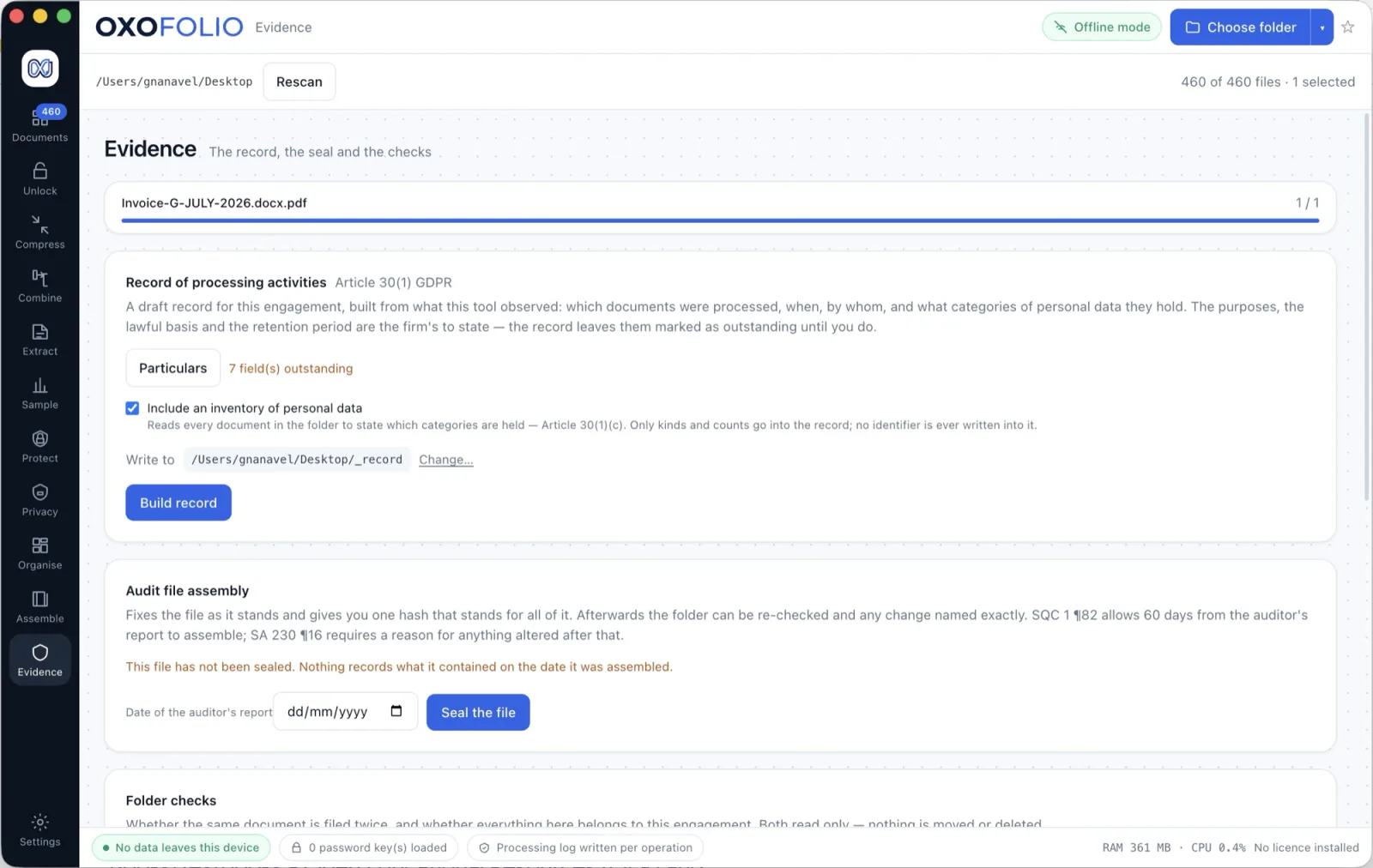
Unlock, compress, combine, convert, redact, encrypt, split, stamp, OCR, mark up — every one of them writes a new file beside the source and leaves the source exactly where you put it.
_originals/ and hashed — and never refreshed, so a later edit cannot quietly become the original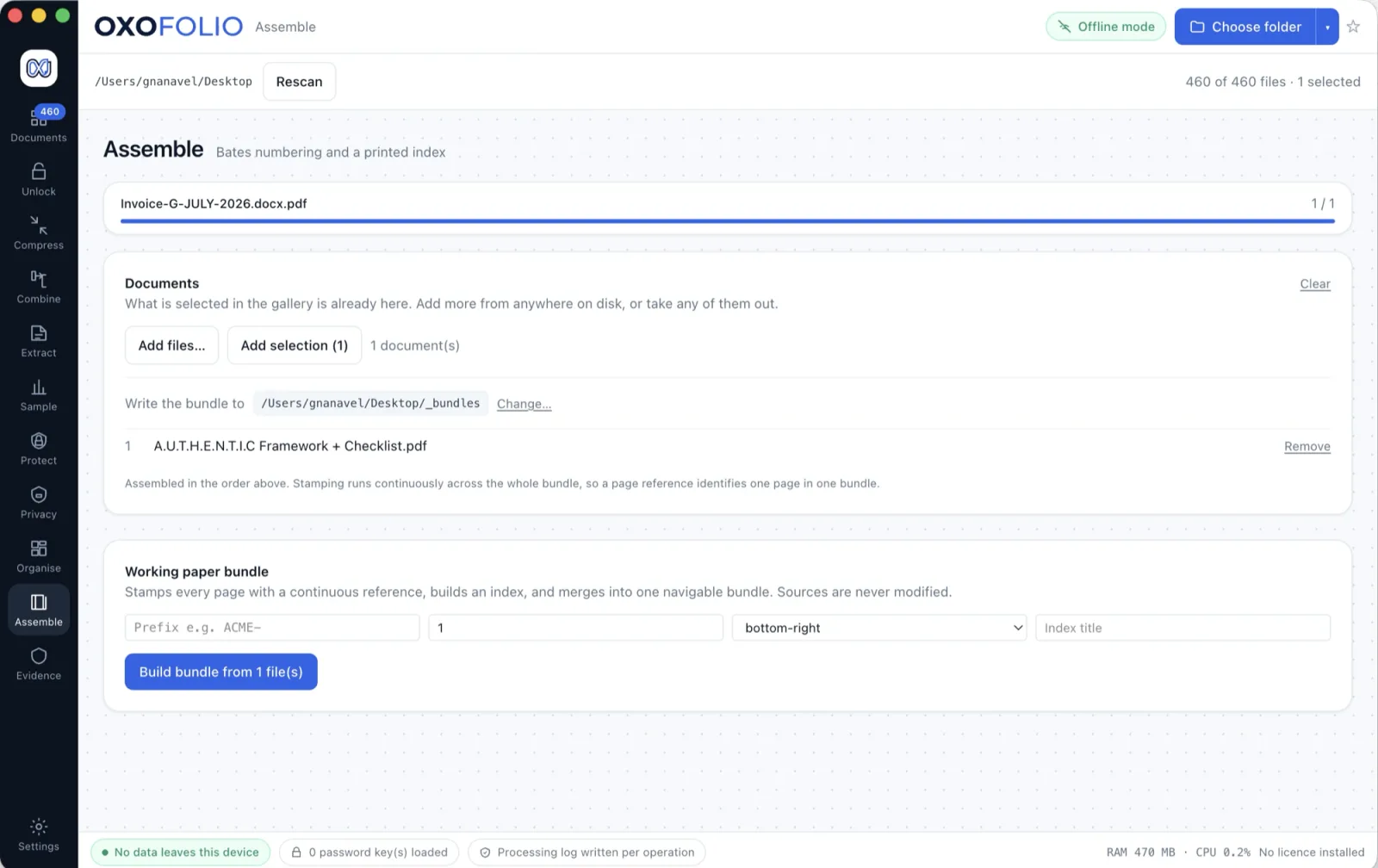
A per-user install with no system services. The deployment notes list everything it writes, and where.
Firm licences run from six seats to 250, each verified offline. Replace a computer and the seat moves with you.
Dollar purchases go through Dodo Payments as merchant of record, which collects any VAT or sales tax due where you are. Rupee purchases carry a GST invoice.
A person reads every ticket and replies, usually within a working day — and never needs to see your files to do it.
The licence on each machine was never checked against anything of ours, so if this company disappeared tomorrow, the app keeps working.
Seat counts, invoicing, your own questionnaire — tell us what procurement needs.
Talk to us →The document engine and the evidence layer do not know what country they are in. The standards behind the evidence are international: ISA 530, ISA 230, ISQM 1, GDPR Articles 30 and 32, NIST SP 800-88.
Every tool on this page, the whole evidence layer, and personal-data detection for IBAN, e-mail and labelled account numbers. Dates and decimal separators are a per-folder setting — India, UK, EU, US or ISO — chosen rather than guessed.
There is no server to host in your region, no sub-processor list and no transfer mechanism, because there is no transfer. The document work never crosses a border for a data-localisation rule to apply to.
Aadhaar, PAN, GSTIN, IFSC and Indian mobile detection, six statutory retention presets, and a check for a folder that has picked up a second client’s papers.
No, and it never will. Oxofolio applies passwords you already have — across a whole folder at once, so you are not typing the same one forty times. There is no brute force and no guessing in the product, by design.
Entirely. Pull the network cable and every tool still works, because none of them ever needed it — including the licence check.
They stay in the folder you chose. Nothing is uploaded, nothing is copied to a cloud store, and the app keeps no document store or thumbnail cache of its own. The only copies it makes sit where you can see them: the files an operation produces, beside the source, and the untouched original saved to _originals/ before a spreadsheet light edit.
No. You buy a licence key and install it in the app. There is no sign-up, no profile and nothing to log in to.
It reads them. Word is never edited. Excel has one opt-in exception, off by default: light edits to a spreadsheet, made only after the file as it arrived is copied to _originals/ and hashed. Beyond that nothing in the viewers writes — a total this app calculated, sitting beside totals your client calculated, would be indistinguishable from theirs and wrong. The formula bar shows what was read out of the file, never a value we computed.
That is who it is built for, and the sampling, file-assembly and retention features assume that work. Everything else — the viewers, unlock, redaction, conversion, the processing log — is useful to anyone who cannot upload the documents they were asked to protect.
Every tool for 14 days — no sign-up, no watermarks, no export limits. Nothing you produce stops working when the trial ends.